
1. Navigate to https://data.georgiaumc.org/forms/index.aspx
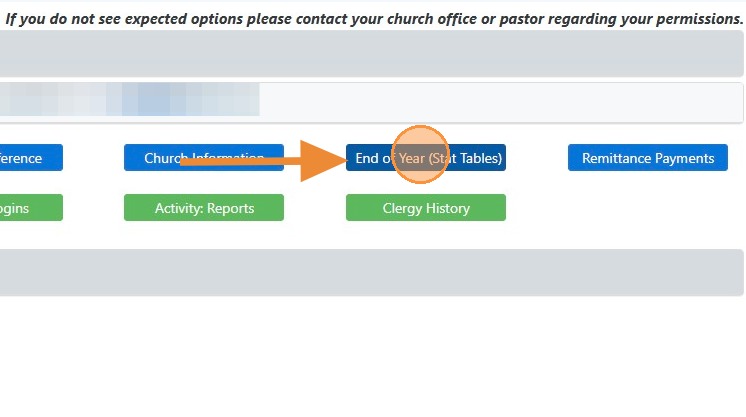
2. Click the End of Year (Stat Tables) button.
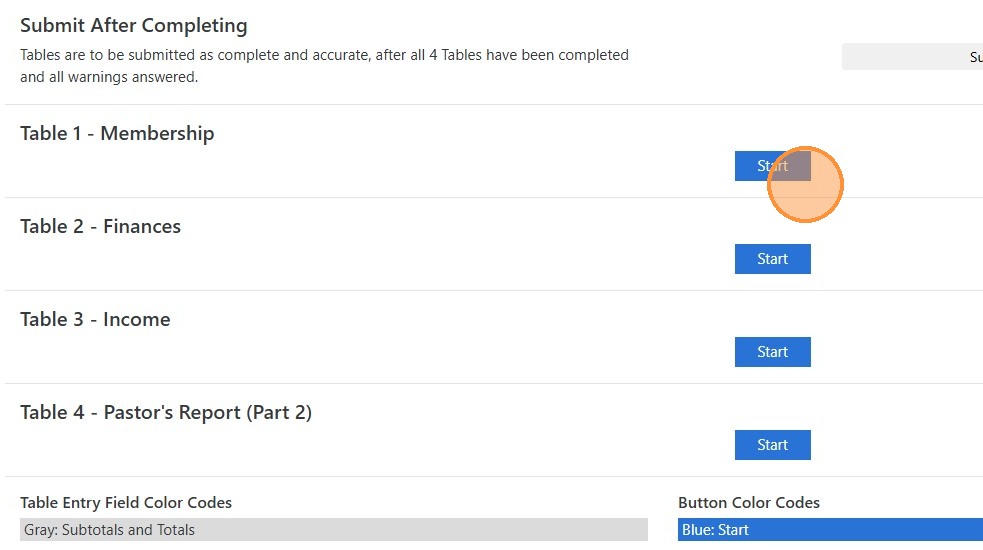
3. Click the "Start" button for the Table you want to begin working on, and you will do the same for each table. If warnings appear, please answer them as directed in Data Services.
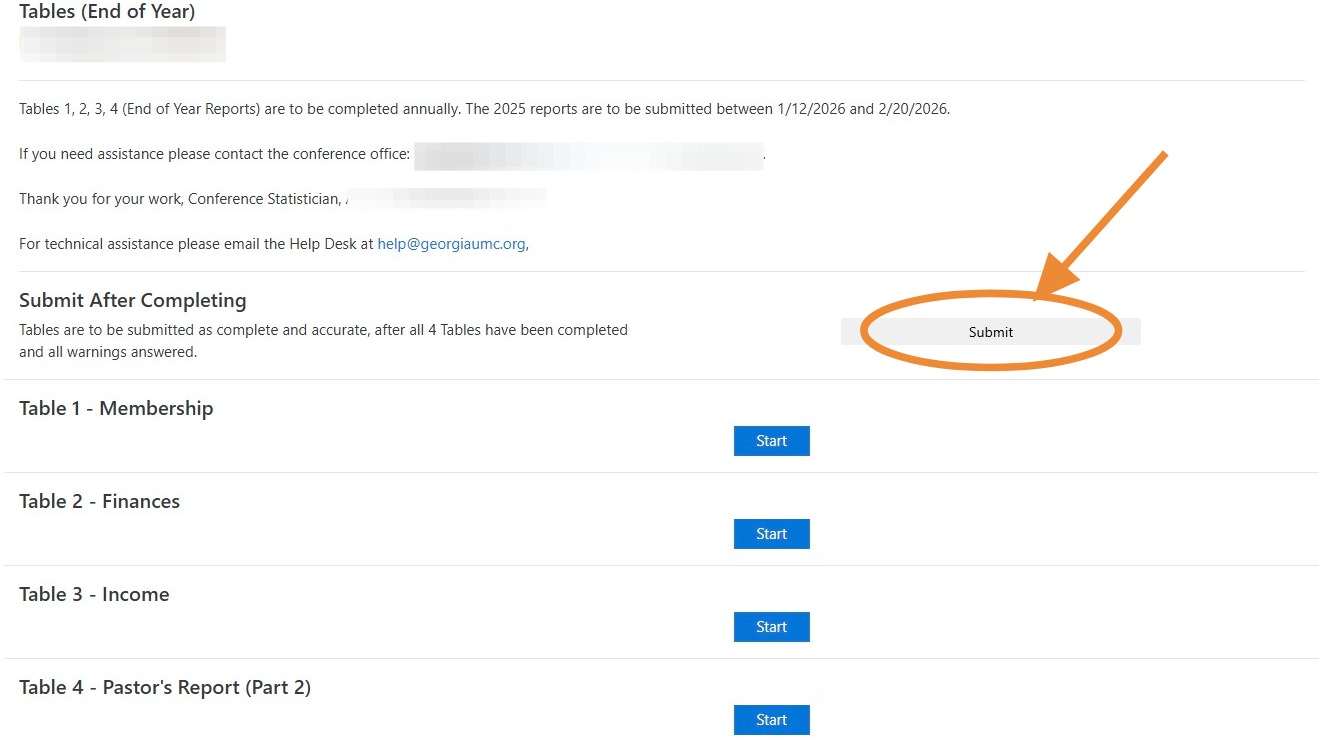
4. Once all 4 Tables are completed, warnings are answered, and you are READY to submit your reports, click this "Submit" button.
Comments
0 comments
Please sign in to leave a comment.