
1. Navigate to data.georgiaumc.net

2. Click the "Benefits" button.

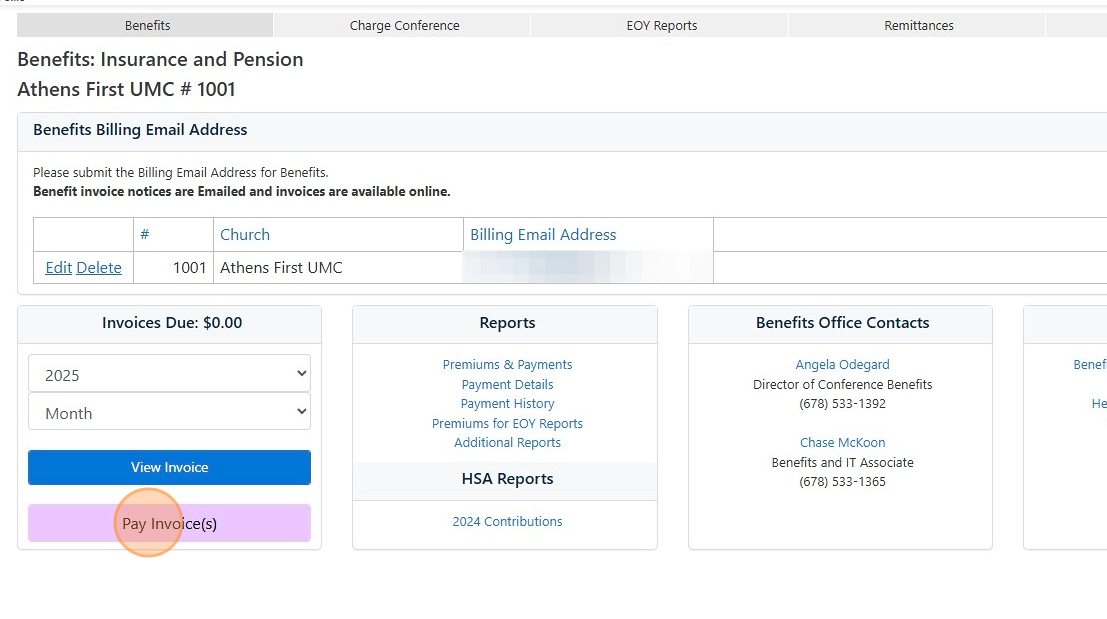
3. Click the "Pay Invoice(s)" button.
4. Enter the amount you would like to pay.
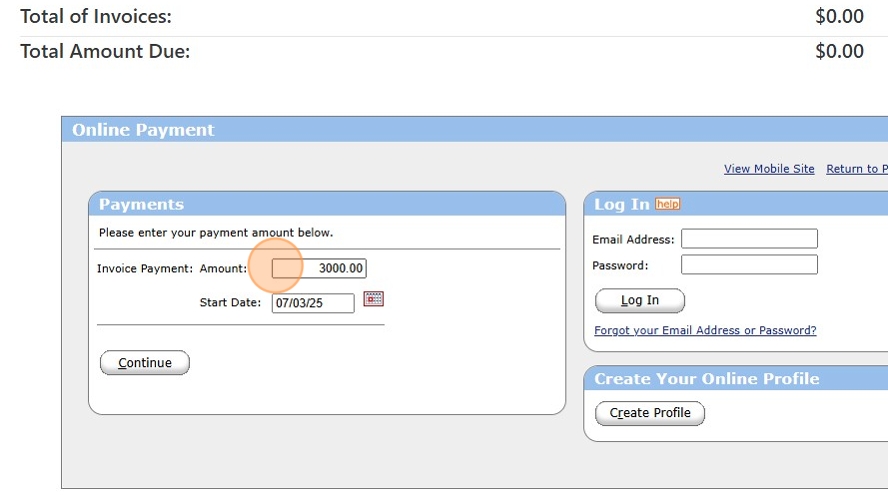
5. Choose the date you would like to pay.

6. Click "Continue"

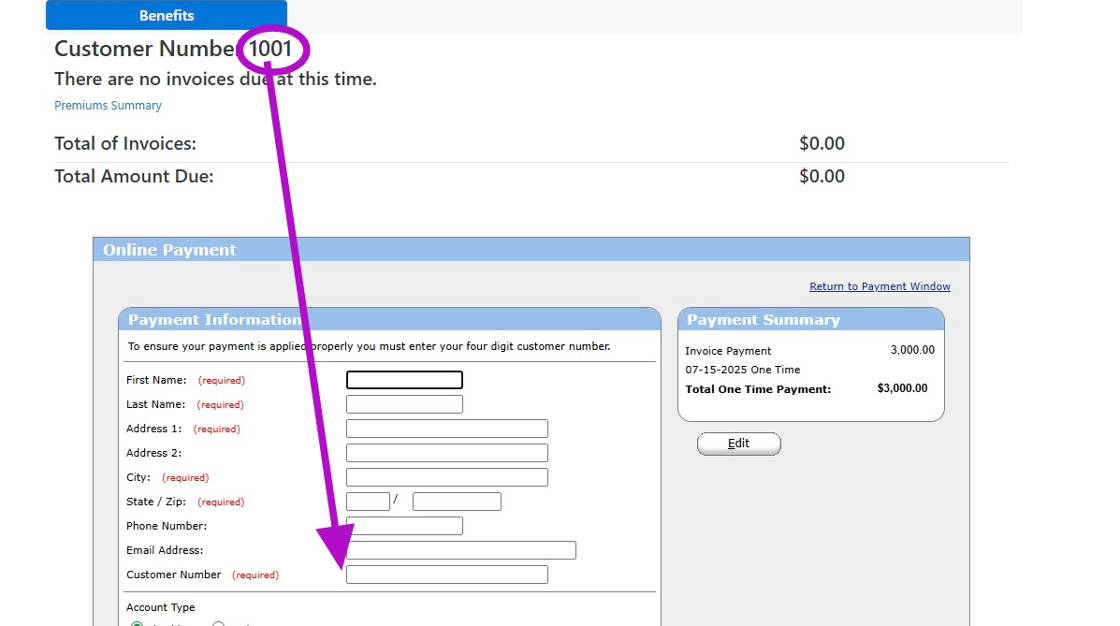
7. Fill out the required payment information.
Enter your Customer Number...this is at the top of the screen next to the name of the account which is likely your name. This Church's customer number, for example, is 1001.
8. Enter your payment information.

9. Click here to note that you are a real person!

10. Click Process to complete the payment.

Comments
0 comments
Article is closed for comments.