
1. Navigate to https://data.georgiaumc.org/forms/index.aspx

2. Click the "Benefits" button.

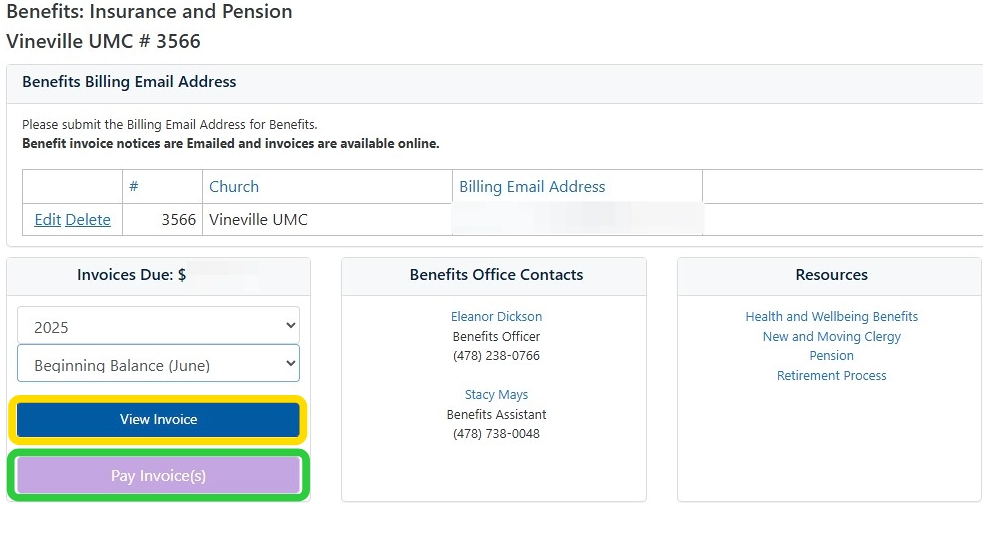
3. Click this dropdown to choose the month of the invoice you would like to view.

4. Click "View Invoice" to view that month's invoice. (Highlighted in yellow.)
Click "Pay Invoice(s)" to pay the outstanding invoices. (Highlighted in green.)
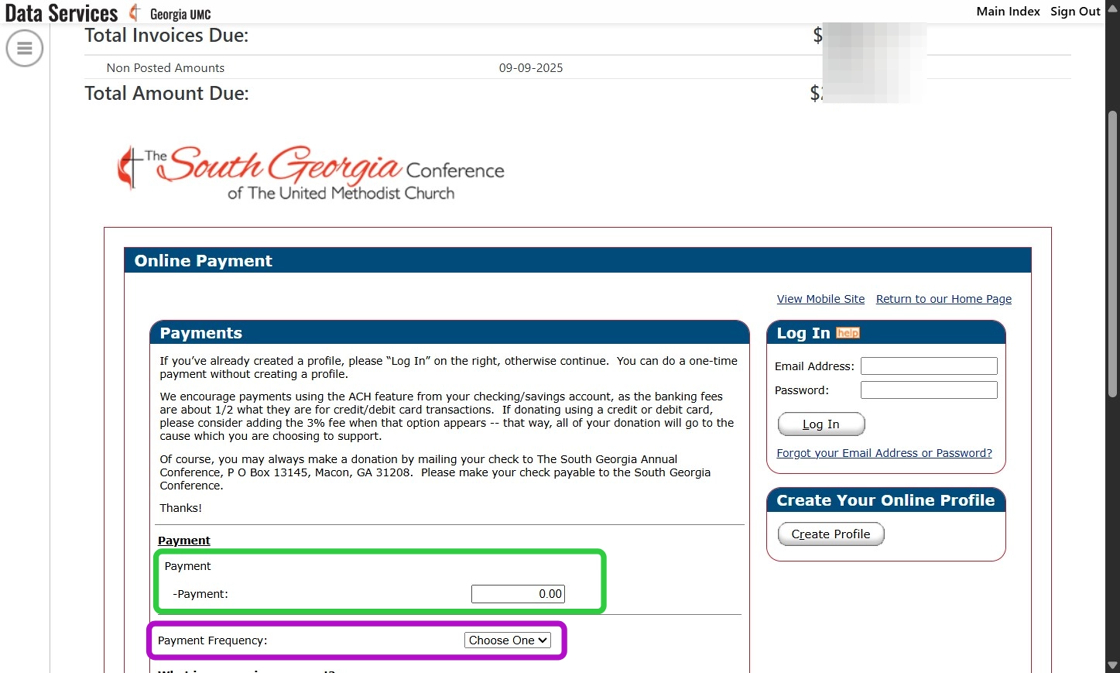
5. After clicking "Pay Invoice(s)" you should see each outstanding invoice due, and the total balance due. The payment window is below this list. Scroll down to enter your payment information (highlighted in green), and enter the amount you are paying. Then, select a payment frequency (highlighted in purple).
6. Next you will choose a payment date.

7. Click "Continue"

8. Fill out the required payment information.

9. The Customer Number at the top of the page will be the Local Church Number requested in the Payment Information window.
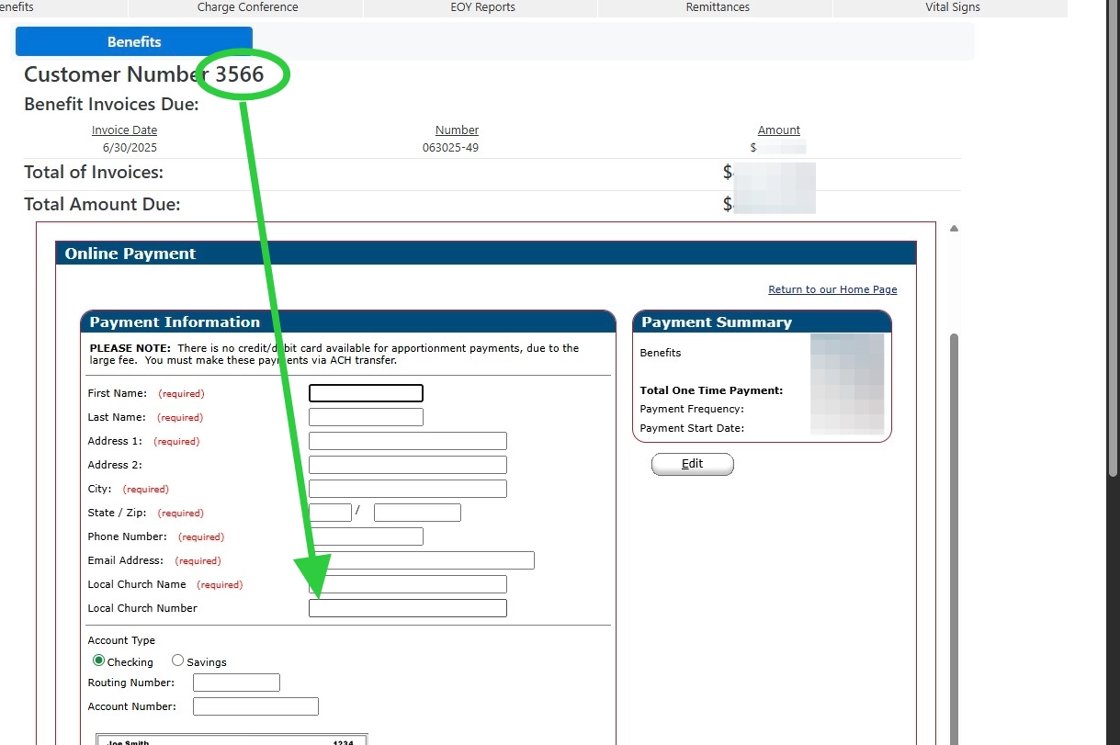
10. Enter your payment account information.

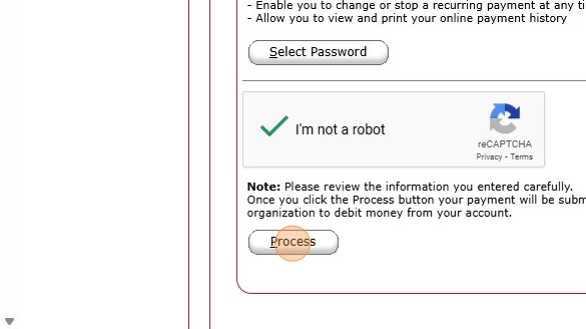
11. Complete the reCAPTCHA "I'm not a robot" challenge to confirm your humanity.

12. Click "Process" once you are ready to submit your payment.
Comments
0 comments
Article is closed for comments.